May 26, 2026 · Matteo
Shopify Convert All Images to WebP (2026 Guide)
Heavy JPEG catalogs slow mobile checkout. Shopify convert all images to WebP is a common goal once PageSpeed flags image weight. WebP often cuts file size 25% or more vs JPEG at similar visual quality.
This is the hub guide for WebP on Shopify product images. Shorter reads:
- Shopify image convert (single-file and format basics)
- Does Shopify convert images to WebP? (platform behavior)
- Stop Shopify compressing images (compression hub)
WebP vs JPEG for Shopify product photos
| Format | Pros | Cons |
|---|---|---|
| WebP | Smaller files, faster LCP, good quality | Must re-upload or sync to replace CDN files |
| JPEG | Universal, simple | Heavier at equal quality |
| PNG | Transparency | Large for photos; use for graphics only |
Shopify accepts WebP uploads on product media. The win comes from replacing heavy masters, not just hoping the CDN magic-fixes old JPEGs.
Manual: convert one image to WebP
- Export WebP from Photoshop, Squoosh, or similar (~quality 80–85).
- Products → product → Media → replace image with WebP file.
- Add alt text → Save.
Repeat for every image. At 500 photos this is not a weekend project.
Does Shopify auto-convert your uploads to WebP?
Shopify's CDN may serve modern formats to supported browsers, but your stored upload may still be JPEG or PNG until you replace it. See does Shopify convert images to WebP for the full yes/no breakdown.
Bulk convert all product images to WebP
Option A: Desktop batch scripts
Use cwebp, ImageMagick, or Lightroom export on a folder, then re-upload via CSV or admin. You still handle alt text, filenames, and per-product uploads yourself.
Option B: Pixly (convert + review + sync)
Pixly sets convert_to_webp: true by default on new jobs. You review output, then sync to Shopify.
The Review screen shows WebP conversion on each card before approval:
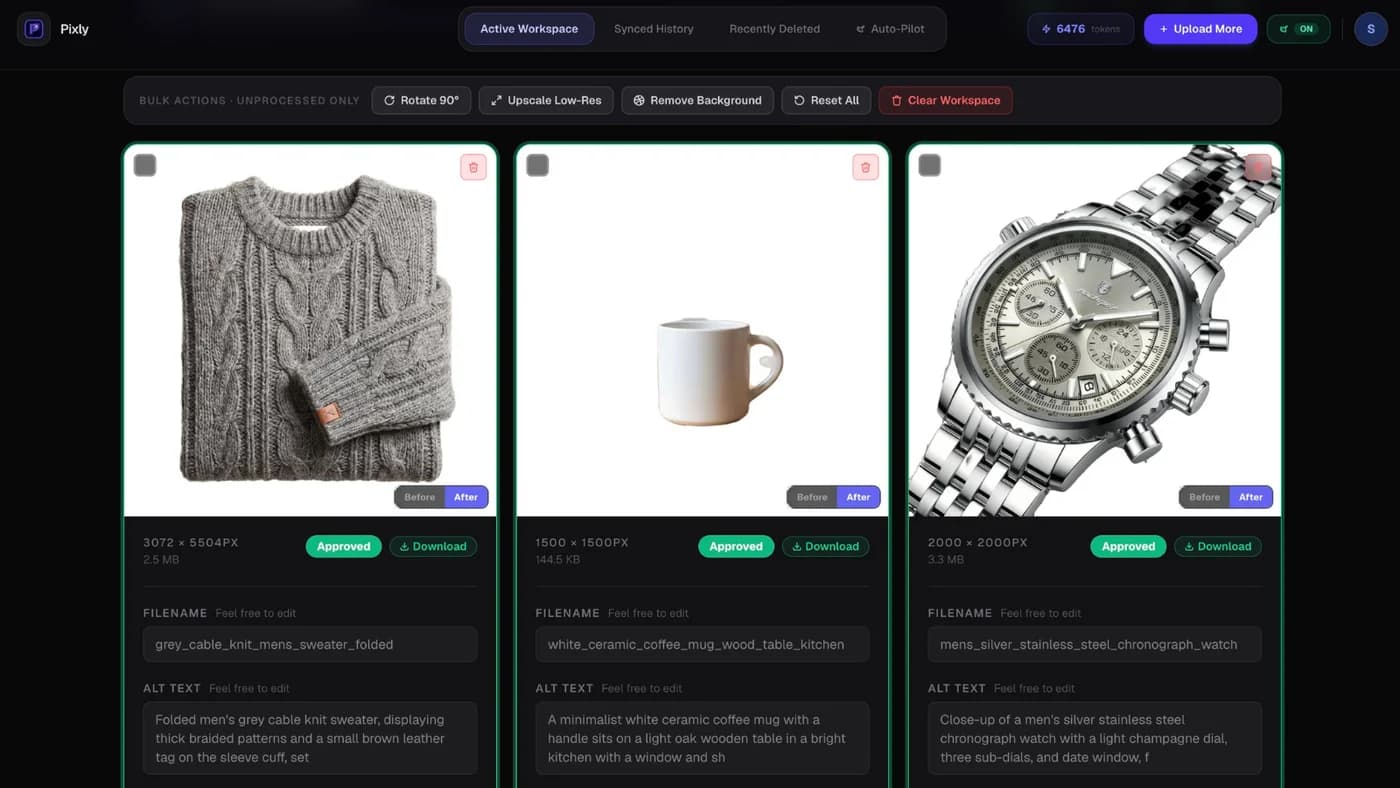
After sync, confirm files in Shopify with sync history:

Pair WebP work with store speed optimization for measurable LCP gains.
Recommended WebP settings for Shopify
| Setting | Suggestion |
|---|---|
| Dimensions | 2000 × 2000 px square product masters |
| Quality | 80–85 (adjust if banding appears) |
| Crop | 1:1 center crop for consistent grids |
| Alt text | Unique per image (do not skip during conversion) |
| Pilot batch | 10 products first, then full catalog |
Full dimension rules: Shopify image size guidelines.
Got questions?
Frequently asked
Bottom line
Shopify convert all images to WebP means replacing heavy masters across your catalog, not toggling one setting. Manual conversion works for small stores. For scale, use review-first bulk sync so every WebP file ships with alt text and consistent crops.
Install Pixly on Shopify and convert your first batch on the free plan.
Written by Matteo, founder of Pixly. Questions? hello@getpixly.app
Pixly for Shopify
Bulk alt text, WebP, and 1:1 crops synced to Shopify
Review every image before sync. Start free with 69 tokens per month. No credit card needed.
More from Pixly
- How Pixly works — upload, AI analysis, review, Shopify sync
- Features — Store Audit, Auto-Pilot, WebP, alt text
- Pricing — start free with 69 tokens per month
- Shopify Image Convert (2026 Guide)
- Does Shopify Convert Images to WebP? (2026 Guide)
- How to Stop Shopify from Compressing Images (2026 Guide)