May 26, 2026 · Matteo
Remove Background from Shopify Product Images (2026 Guide)
White-background product grids look clean on marketplaces and ads. Remove background from Shopify product images when suppliers send messy shots or you need transparent PNGs for Facebook and Google catalogs.
This guide covers when to cut backgrounds, manual tools, and bulk removal with review before sync.
When background removal helps
| Use case | Typical output |
|---|---|
| Marketplace-style grid | Pure white #FFFFFF background |
| Ads and lookbooks | Transparent PNG |
| Consistent collection page | Uniform white behind mixed suppliers |
Background removal does not replace good lighting. It standardizes presentation.
Manual background removal
- Open image in Photoshop, Photopea, or remove.bg.
- Cut subject, refine edges (hair, lace needs extra care).
- Export PNG (transparent) or JPEG on white.
- Products → Media → upload → alt text → Save.
Time: 5–15 minutes per image for careful edge work. Not scalable alone.
Shopify and transparent PNGs
Shopify accepts PNG with transparency on product media. File size can grow vs WebP photos. For catalog photos, many merchants prefer white background JPEG/WebP unless transparency is required for ads.
Pixly defaults to WebP and 1:1 square crop for product sync. Background removal is an optional step when you need cutouts.
Bulk background removal with Pixly
Background removal costs +3 tokens per image and requires a Growth or Scale plan. Enable during review, inspect edges, then approve.
Review shows the processed square output before sync:
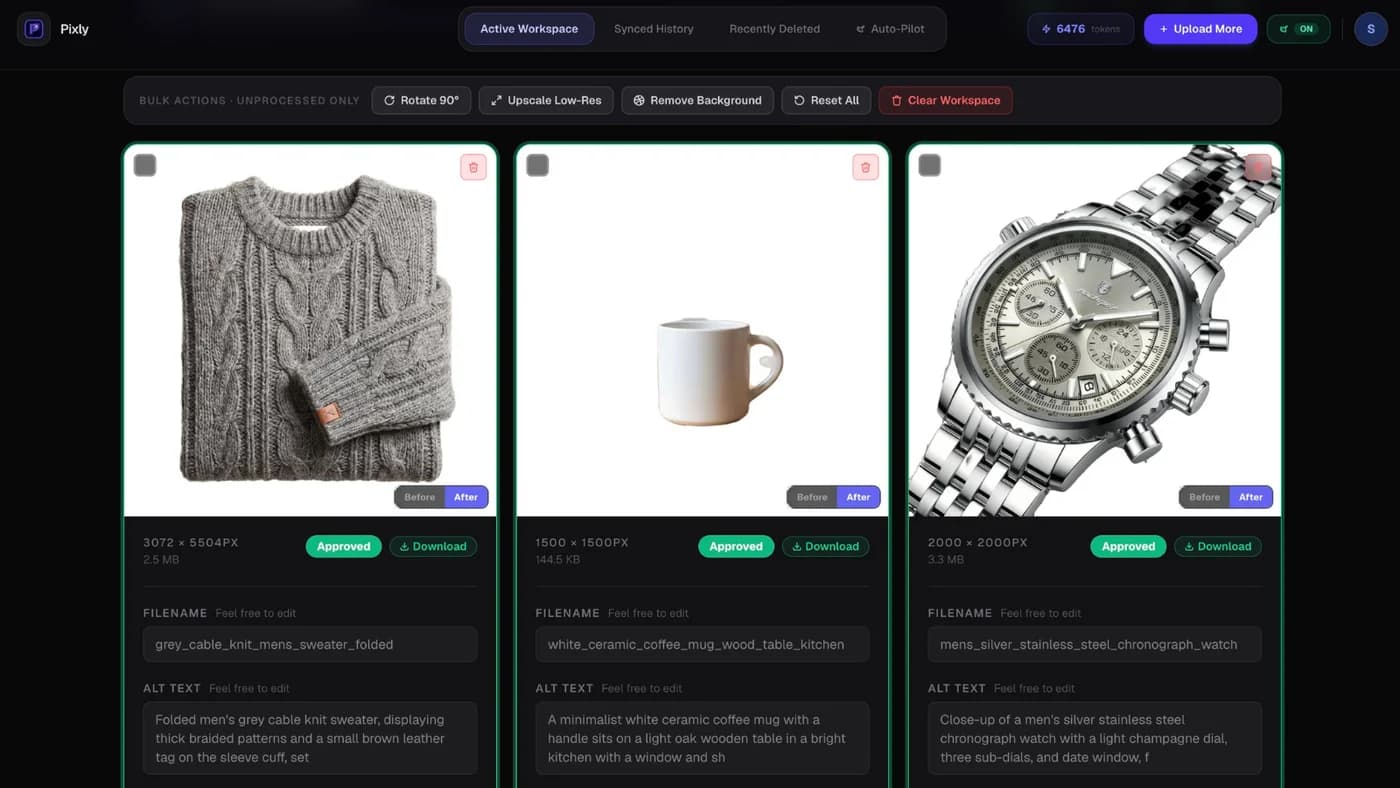
Pair with AI alt text so cutout products still rank in image search. See alt text SEO.
Quality checklist after removal
- Edges clean on hair, fur, glass
- No gray fringing on white backgrounds
- Shadow intentional or removed consistently
- Alt text describes product, not "on white background" alone
- File size reasonable after export
Got questions?
Frequently asked
Bottom line
Remove background from Shopify product images for consistent grids and ad-ready assets. Manual tools work for small sets; bulk catalog work needs review-first batch removal.
Install Pixly on Shopify on Growth or Scale to test background removal on real products.
Written by Matteo, founder of Pixly. Questions? hello@getpixly.app
Pixly for Shopify
Bulk alt text, WebP, and 1:1 crops synced to Shopify
Review every image before sync. Start free with 69 tokens per month. No credit card needed.
More from Pixly
- How Pixly works — upload, AI analysis, review, Shopify sync
- Features — Store Audit, Auto-Pilot, WebP, alt text
- Pricing — start free with 69 tokens per month
- Best Shopify Image Optimization Tools (2026 Guide)
- Shopify image size guidelines (2026 Guide)
- How to Use Pixly on Shopify (2026 Guide)